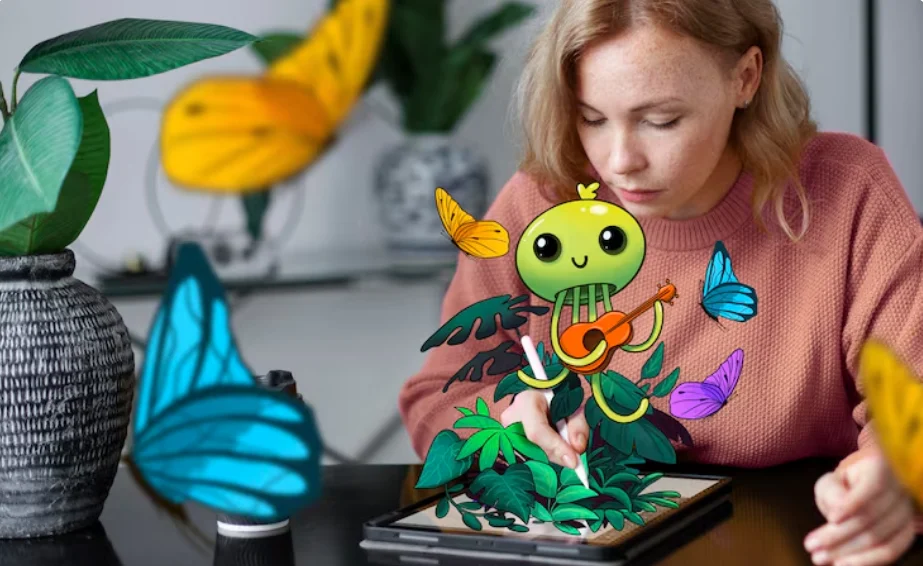
A photo does not have to remain the same as the moment it was captured. With the help of artificial intelligence, a simple portrait, a pet picture, or a landscape can become an illustrated scene with a completely different look. These creative changes allow people to produce visuals for personal projects, websites, marketing campaigns, and social media without needing advanced drawing skills.
AI image tools make it possible to explore different artistic styles in less time. Users can start with an existing photograph, describe their preferred appearance, and experiment with several creative directions. The results depend on the reference image, the instructions provided, and the capabilities of the chosen platform.
Understanding how these tools work can help beginners and experienced creators make better decisions when developing digital artwork.
How Does AI Convert a Photograph Into Cartoon Art?
An image to cartoon tool uses artificial intelligence to reinterpret a photograph as an illustration. Instead of keeping the original image’s photographic appearance, it creates a stylized version using features such as stronger outlines, simplified shapes, brighter colors, or animated character designs.
The process usually starts when a user uploads a suitable picture and selects a preferred style. Depending on the platform, additional instructions may help determine the background, lighting, colors, and overall appearance. The AI then generates a new image based on the information it receives.
Consider a photograph of a family pet. The original picture might show the animal sitting in a garden. After processing, the result could feature a playful cartoon character with expressive eyes, colorful fur, and an illustrated garden background.
The same approach can be applied to portraits, travel photographs, and other subjects. However, generated results can differ from the original, so users should inspect the finished image before publishing it.
Creative Projects That Benefit From Cartoon Images
There are several practical ways to use illustrated photographs.
Social media content: Creators can develop distinctive avatars, illustrated profile pictures, stickers, and themed posts. Using a consistent style can also help make a social media page more recognizable.
Personalized presents: An illustrated portrait of a friend, family member, or pet can become a thoughtful gift. The artwork may be used for greeting cards, printed posters, or digital keepsakes.
Learning materials: Teachers and educational creators can use cartoon characters to explain difficult ideas, present examples, and make learning resources more appealing to younger audiences.
Business promotions: Companies can experiment with illustrated characters, campaign graphics, and visual storytelling. Before using such artwork commercially, they should check the platform’s licensing conditions.
Creative storytelling: Writers and independent artists can turn character ideas into visual references for comics, illustrated stories, and animation projects.
Simple Techniques for Improving AI Artwork
Getting an appealing result often requires more than uploading a photograph and accepting the first image. A few adjustments can help users guide the process more effectively.
Select a Suitable Photograph
Start with an image that clearly shows the main subject. For portraits, even lighting and a visible face can help the system interpret important features. For animals, choose a photograph that shows recognizable details such as fur patterns, ear shapes, or facial markings.
A complicated background is not always a problem, but a clear subject generally makes the creative direction easier to communicate.
Explain the Style You Want
General instructions may leave too much room for interpretation. Instead of simply asking for a cartoon, describe the appearance you have in mind.
For example, you could request a cheerful illustrated portrait with smooth outlines, warm colors, soft shadows, and a clean background. If you prefer a comic-book appearance, mention dramatic contrast, bold contours, and expressive features.
Specific instructions give the AI a clearer creative target, although they cannot guarantee an exact result.
Review the Small Details
AI-generated pictures may change facial proportions, clothing, object shapes, or background elements. If the image needs to resemble a particular person or pet, compare the result with the reference photograph.
Some platforms provide editing options that allow users to correct individual areas or generate alternative versions. Taking time to review these details can make the final artwork more useful.
Test Different Artistic Directions
One photograph can inspire several different interpretations. Watercolor, anime-inspired illustration, comic art, and three-dimensional cartoon styles can each produce a different mood.
Try a few approaches before deciding which one suits your project. The most effective style is the one that communicates your idea clearly, rather than the one with the most complicated effects.
Can Claude Help You Create Better AI Image Prompts?
Language models can be useful when a creator knows what they want but struggles to describe it clearly. Claude can help organize visual ideas, analyze uploaded images, and develop instructions for a compatible image-generation platform.
The term Claude AI image generator should be understood in this context. Claude is primarily an AI assistant, not a conventional image-rendering model that independently creates photographs and illustrations in the same way as a dedicated image generator. Available integrations and connected tools may provide additional capabilities.
For example, someone planning a cartoon portrait could ask Claude to suggest a suitable color palette, background, illustration style, and description of the subject’s appearance.
It might produce a prompt such as:
“Reinterpret the reference portrait as a friendly cartoon illustration. Retain the subject’s recognizable hairstyle and clothing, use expressive features and smooth outlines, apply a soft pastel palette, and create a simple background that keeps attention on the character.”
The user can then take that description to an image-generation tool that supports the desired workflow.
Ways a Language Model Supports Visual Creation
Claude can contribute to several stages of a creative project:
- Writing prompts: Turn a basic idea into a more detailed visual description.
- Exploring styles: Suggest different artistic treatments for the same subject.
- Planning a collection: Help establish recurring colors, themes, and character descriptions.
- Analyzing references: Discuss visible features in uploaded images when image analysis is supported.
- Refining instructions: Help revise a prompt when the generated result does not match the original goal.
This division of work can make the process easier to manage. The language model helps develop the concept, while a compatible image tool handles the actual rendering.
A Practical Workflow for Producing Digital Illustrations
Creators who need several related images can benefit from a repeatable process instead of treating every image as a separate experiment.
Imagine a small business preparing illustrated graphics for a seasonal promotion. The team wants its images to share a recognizable appearance across social media posts and website banners.
The following workflow can help:
Step 1: Identify the purpose. Decide whether the image will be used for personal enjoyment, educational content, advertising, or another project.
Step 2: Establish a visual style. Choose a suitable illustration type, color palette, mood, and background. A language model can help turn these choices into clear instructions.
Step 3: Prepare the reference material. Select appropriate photographs and confirm that you have permission to use them.
Step 4: Generate alternative versions. Use an image-generation platform to create several interpretations of the reference image.
Step 5: Evaluate the results. Check whether the image matches the intended style, preserves important details, and communicates the right message.
Step 6: Prepare the finished artwork. Make any necessary edits, crop the image to fit the intended platform, and check its resolution before publishing.
Following these steps can reduce unnecessary revisions and help maintain a consistent visual identity across a project.
Choosing the Right AI Tools for Your Project
Different platforms offer different capabilities, so it is worth evaluating them according to the work you need to complete.
For example, OpenArt provides an image-to-cartoon feature designed to help users transform photographs into illustrated versions. A creator can explore this type of workflow when developing profile pictures, character concepts, or other stylized visuals.
Claude can complement a dedicated image tool by helping with prompt writing, creative planning, and the organization of visual ideas. These tools serve different purposes, so they should be compared according to their actual functions rather than treated as identical products.
Before choosing a platform, consider whether it supports reference uploads, offers the styles you need, provides useful editing controls, and allows your intended form of use. Pricing, usage limits, privacy policies, and commercial licensing are also worth reviewing.
Important Considerations Before Publishing AI Artwork
Although AI can simplify image creation, the output still needs human review. Generated pictures may contain inconsistent details, altered facial features, or objects that do not look quite right.
Privacy matters as well. Before uploading photographs of other people, consider whether you have permission and review how the platform handles uploaded content.
If the artwork will be used for a business, check the relevant licensing terms and make sure the reference material is suitable for commercial use. Additional editing may also be necessary to meet brand guidelines or publication requirements.
Human judgment remains valuable throughout the process. AI can accelerate experimentation, but reviewing the image and correcting unwanted changes helps ensure that the finished result meets the project’s needs.
Final Thoughts
Artificial intelligence is giving people new ways to experiment with photography and digital design. A picture taken during a family outing, a portrait, or even a pet photo can serve as the starting point for an entirely different visual creation. With the right approach, these images can become illustrations for personal collections, website graphics, social media content, or business campaigns.
The key is to choose tools according to the result you want to achieve. An image-to-cartoon platform can help transform an existing photograph into a stylized illustration, while a language model such as Claude can assist with developing concepts and writing detailed prompts for compatible image-generation software.
Good results also depend on the choices made along the way. A suitable reference image, clear creative instructions, and careful review can help produce artwork that better matches your original idea. It is equally important to check privacy policies and usage permissions before sharing or commercially publishing generated images.
Rather than replacing human creativity, AI offers another way to explore it. When creators combine these technologies with their own ideas and judgment, ordinary photographs can become the foundation for distinctive and meaningful digital artwork.
Read more : Smart Travel Planning Tips for a Comfortable and Stress-Free Journey