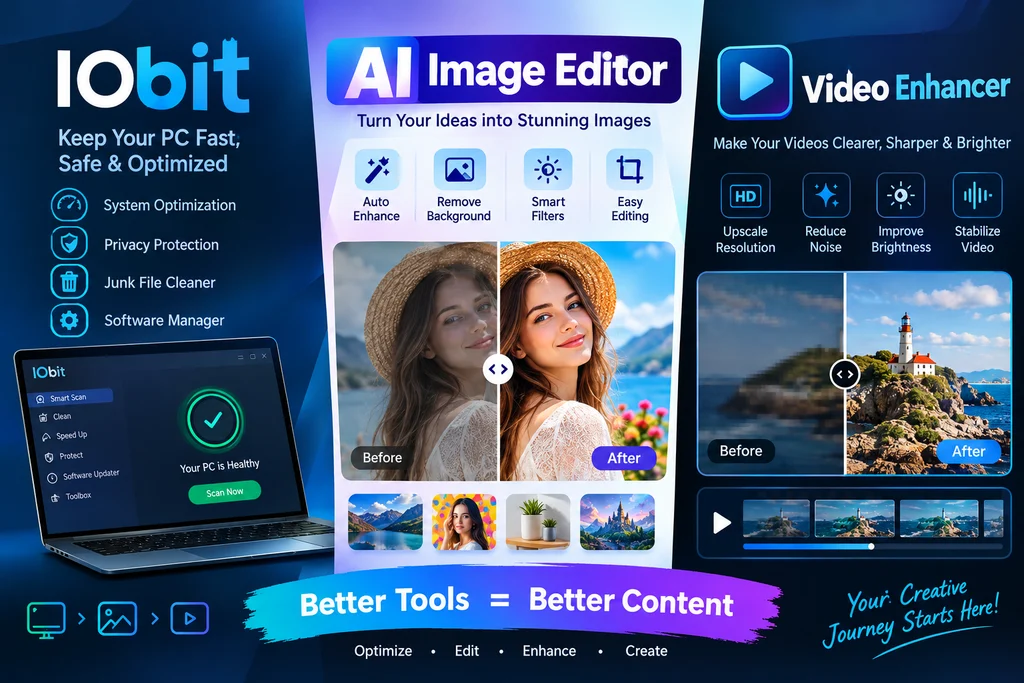
Digital content creation has become an important part of modern communication. Whether someone is managing a business website, creating social media posts, or producing marketing videos, high-quality visuals can make a significant difference. However, editing photos and improving video quality can take considerable time without the right software. Fortunately, modern editing solutions are making these tasks easier for beginners and experienced creators.
Tools such as an AI photo editor and a video enhancer help users improve visual content with less manual effort. At the same time, software companies like IObit contribute to a smoother computer experience by providing utilities that help users maintain and optimize their Windows systems.
Understanding how these technologies work can help content creators build better workflows and produce more professional results.
The Growing Importance of AI in Photo Editing
Traditional photo editing often requires technical knowledge and experience. Users may need to understand layers, color correction, exposure, sharpness, and other editing techniques before achieving satisfactory results.
An AI photo editor simplifies many of these processes by using artificial intelligence to analyze images and apply suitable improvements automatically. Instead of adjusting every setting manually, users can rely on intelligent features to enhance their pictures.
For example, AI-powered editing tools can help with:
- Improving brightness and contrast.
- Removing unwanted objects from photographs.
- Enhancing image sharpness.
- Adjusting colors and lighting.
- Removing or replacing backgrounds.
- Restoring details in older photographs.
These capabilities are particularly useful for people who regularly create visual content but do not have professional photography or graphic design experience.
How an AI Photo Editor Improves Productivity
One of the biggest advantages of AI-powered editing is time savings. A task that previously required several manual adjustments can sometimes be completed with a single automated feature.
Consider someone running an online store. Product photographs need consistent lighting, attractive colors, and clean backgrounds. Editing hundreds of images individually can become exhausting.
An AI photo editor can simplify this process by automatically identifying image elements and applying appropriate corrections. This allows business owners to spend more time managing their products, customers, and marketing campaigns.
Social media creators can also benefit from these tools. They can improve everyday photographs, prepare attractive thumbnails, and create visually consistent content for different platforms.
However, automatic editing should not replace human judgment completely. Users should always review the final image to ensure that important details remain accurate and natural.
Understanding Modern Video Enhancement Technology
While photographs are important, video has become one of the most popular forms of digital communication. Businesses use videos for advertisements, product demonstrations, tutorials, and social media campaigns.
Unfortunately, not every video is recorded under ideal conditions. Poor lighting, low resolution, camera movement, and compression can reduce overall quality.
A video enhancer helps address some of these problems by improving the visual appearance of existing footage.
Depending on the software, enhancement features may include:
- Resolution upscaling.
- Noise reduction.
- Sharpening blurry details.
- Color and brightness correction.
- Frame improvement.
- Better visibility in poorly lit scenes.
AI-based enhancement systems analyze individual frames and attempt to improve visual details. Some advanced solutions can also use information from neighboring frames to create smoother results.
This technology can be useful for people working with older recordings, smartphone videos, educational content, and promotional material.
Why Video Quality Matters for Online Businesses
Video quality influences how audiences experience digital content. A clear and well-presented video can make a product demonstration easier to understand and help maintain viewers’ attention.
For example, an online electronics store might publish videos showing how a particular device works. If the footage is dark or difficult to see, potential customers may struggle to understand the product’s features.
Using a video enhancer can help improve the presentation of existing footage without requiring the business to record everything again.
Content creators can also use enhancement tools to prepare older videos for modern platforms. This can be particularly valuable when original recordings are no longer available.
Still, enhancement has limitations. Extremely blurry or damaged footage cannot always be restored perfectly. AI may estimate missing details, so important visual information should be checked carefully.
The Role of IObit in a Better Computer Experience
Creative software requires a reasonably stable computer environment. Photo editing, video enhancement, and other demanding activities can consume considerable system resources.
This is where IObit becomes relevant. The company offers Windows utilities designed to support PC maintenance, security, driver management, and system optimization.
Depending on the product, users may find features related to cleaning unnecessary files, updating drivers, improving system performance, and managing unwanted applications.
Keeping a computer properly maintained can help reduce common problems that interfere with creative work.
For example, outdated drivers may cause compatibility issues with certain hardware or applications. Regular driver maintenance can help address these problems when appropriate updates are available.
Similarly, removing unnecessary temporary files can free up storage space. Users should still review important settings before making system changes.
Combining Photo and Video Editing With PC Maintenance
A productive content creation workflow involves more than selecting an editing application. Hardware performance, available storage, software compatibility, and system stability also matter.
Imagine a creator who regularly edits product photographs and prepares short promotional videos.
The workflow might include several steps:
- Organizing photographs and video recordings.
- Using an AI photo editor to improve image quality.
- Applying a video enhancer to existing footage.
- Reviewing the results and correcting unwanted changes.
- Saving finished projects in suitable formats.
- Maintaining the computer to support future editing tasks.
Each step contributes to a more organized creative process.
PC maintenance tools from IObit may help users manage certain system-related tasks, while dedicated AI editing applications handle the actual visual improvements.
It is important to understand that these are different categories of software. A PC optimization utility does not automatically provide every photo or video editing feature.
Choosing the Right AI Editing Software
With so many editing applications available, selecting the right solution requires understanding personal requirements.
Beginners may prefer applications with simple interfaces and automatic enhancement options. Experienced creators might need more control over individual adjustments, export formats, and image processing settings.
Before selecting an AI photo editor, consider its background removal quality, object editing capabilities, supported file formats, and processing speed.
For video enhancement software, check whether it supports the resolution, file types, and video length you regularly work with.
Also consider whether the application processes files locally or uploads them to online servers. This distinction matters when working with private photographs or business recordings.
Pricing is another important factor. Some applications provide free versions with limited features, while others require subscriptions or one-time payments.
Testing available features before purchasing can help users avoid unnecessary expenses.
Protecting Creative Projects and Personal Files
Digital content often contains valuable business information, personal photographs, and original creative work. Protecting these files should be part of every editing workflow.
Users should maintain backup copies of important projects and avoid deleting original recordings after enhancement.
It is also sensible to download software from official websites and review application permissions before installation.
When using cloud-based AI editing services, check their privacy policies and understand how uploaded content is stored and processed.
These precautions can reduce the risk of losing important work or exposing private information.
Final Thoughts
Artificial intelligence is changing how people create and improve digital content. An AI photo editor can simplify image adjustments, while a video enhancer can help improve the appearance of existing recordings.
At the same time, maintaining a stable computer environment is essential for a productive creative workflow. Solutions offered by IObit can support certain PC maintenance and optimization tasks, helping users manage their systems more effectively.
By combining suitable editing applications with responsible computer maintenance, creators and businesses can develop an efficient process for producing attractive digital content. The best results come from choosing tools that match specific requirements and reviewing every finished project before publishing it.
Read More : What Tools Help Teams Maintain Accurate Documentation?